


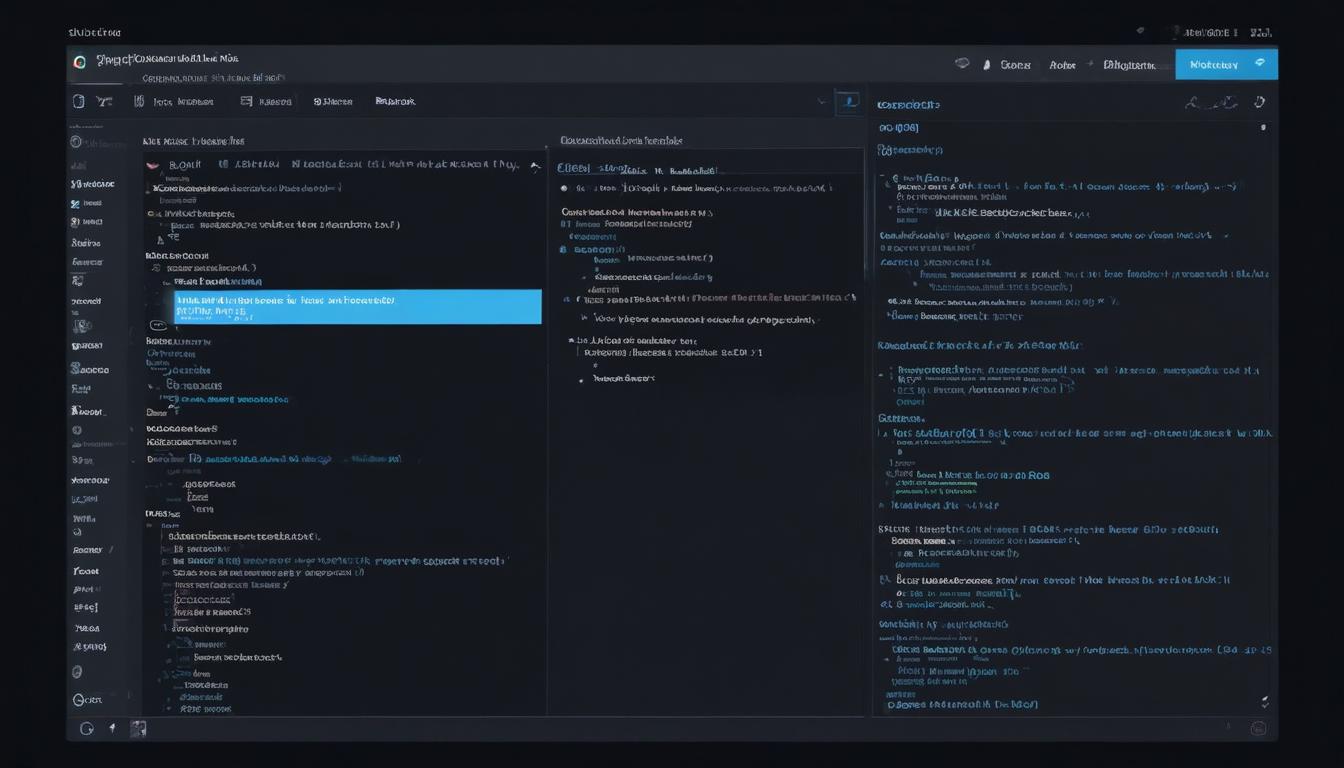
- Overview of WPCodeBox features
- Adding custom code snippets
- Organizing and categorizing snippets
- Debugging and troubleshooting tips
- Best practices for snippet management
WPCodeBox is engineered to provide an intuitive and seamless interface for WordPress users aiming to enrich their websites without the need for extensive coding knowledge. It’s a powerful tool designed to manage code snippets, offering a compelling alternative to directly editing the functions.php file. This plugin positions itself as an indispensable utility for both beginners and advanced users who seek to customize their sites efficiently.
The features of WPCodeBox are crafted to enhance productivity and ensure a smooth workflow. At its core, WPCodeBox serves as a repository for your custom scripts, eradicating the clutter and potential errors associated with manual code edits. Users can harness its capabilities to insert JavaScript, PHP, and CSS snippets easily. By doing so, you can personalize the functionality and aesthetics of a website while avoiding the pitfalls of directly altering core theme files.
One of the standout features is its intuitive code editor, which is equipped with developer tools like syntax highlighting to assist in organizing code effectively. This makes the coding process smoother, allowing users to focus on creating robust functionalities and stunning visuals without the common stress of managing raw code manually. Notably, the plugin’s interface is user-friendly, guiding beginners through the process while still catering to the advanced needs of experienced developers.
Moreover, WPCodeBox permits conditional logic for script execution, allowing you to determine precisely when and where each snippet runs. This type of control can significantly optimize site performance by ensuring resources are only utilized when necessary. Furthermore, WPCodeBox integrates seamlessly with version control systems, enabling developers to keep track of changes efficiently. This feature is particularly valuable for developers who work collaboratively, as it ensures that all team members can access up-to-date versions of their snippets.
WPCodeBox also supports cloud backup and synchronization, preventing data loss and providing peace of mind. This ensures that your code snippets are protected, even if something goes wrong with your local site environment. Such robust backup options set WPCodeBox apart in the realm of WordPress customization plugins.
In a marketplace filled with similar tools, WPCodeBox stands out by offering unique advantages that cater to both simplicity and complexity. By utilizing services such as WorldPressIT.com, users can access WPCodeBox along with over 8,000 other premium plugins and themes at super affordable prices, thanks to special GPL licensing, making it a cost-effective solution for those seeking exceptional value for their website customization needs.
Adding custom code snippets
Once you’ve grasped the foundational features of WPCodeBox, adding custom code snippets is the next logical step in enhancing your WordPress site’s functionality. Thanks to WPCodeBox’s efficient design, incorporating new scripts into your website becomes a straightforward task. To add a snippet, navigate to the WPCodeBox dashboard and select the ‘Add Snippet’ option. This action opens up a clean and organized code editor equipped with developer tools like auto-complete and syntax highlighting, reducing the possibility of errors and streamlining the coding process.
Whether you are looking to enhance your site’s appearance with CSS or add custom functionalities using PHP, the plugin supports a variety of code snippets languages. It even allows the inclusion of JavaScript for interactive elements. This setup ensures you have the flexibility to implement comprehensive site modifications without directly tampering with the functions.php file, preserving the integrity of your core site files.
A significant advantage of using WPCodeBox is the ability to test your custom code securely. Before deploying any modifications, the plugin offers a safe environment to review changes in real-time, preventing potential site disruptions. You can activate or deactivate snippets with a simple toggle, providing full control over which functionalities are live at any given time. This eases the management of complex modifications and aids in isolating issues without affecting the overall website.
Furthermore, for WordPress enthusiasts who frequently update their sites with new features, WPCodeBox extends the capability to manage these snippets efficiently. The plugin supports version control, letting users save snapshots of their code changes. This feature is invaluable for tracking iterative improvements or troubleshooting issues by reverting to previous versions if needed.
For those who want to expand their website’s capabilities affordably, services like WorldPressIT.com provide access to WPCodeBox and numerous other premium plugins at significant savings. Through special GPL licensing, users can obtain these valuable tools without the prohibitive costs typically associated with premium digital products. This offering is particularly beneficial for developers and site managers focusing on leveraging code snippets for custom site development.
Organizing and categorizing snippets
Organizing and categorizing your code snippets is an essential part of managing a streamlined WordPress site using WPCodeBox. With a growing library of custom scripts, keeping them sorted and easily accessible becomes paramount for efficient management and future-proofing your website development process. WPCodeBox offers a robust system for categorizing snippets, ensuring that whether you’re dealing with CSS, JavaScript, or PHP, your custom snippets remain orderly and easy to locate.
The plugin allows you to group snippets logically based on various criteria, such as functionality, language, or purpose. This feature is particularly beneficial for developers who manage extensive collections of code snippets. By leveraging these organizational capabilities, you can quickly identify and modify the sections of code you need, without the hassle of sifting through disorganized script files.
Utilizing the ‘Snippet Tags’ feature, users can assign tags to their snippets that correspond to themes, plugins, or specific site functions. By creating custom tags, you can ensure that each snippet is associated with relevant keywords, making future reference and categorization intuitive. This tagging system functions similarly to the categorization found in WordPress post management, offering a familiar interface for both novices and experienced users.
Furthermore, the WPCodeBox interface supports folder hierarchies, allowing you to create nested folders for even more precise organization. Whether you’re dealing with snippets for different parts of your site, or separating scripts for testing and live environments, these hierarchical structures provide the flexibility needed to manage complex site customizations effectively.
In addition, WPCodeBox’s user-friendly search functionalities enable developers to locate snippets swiftly, based on developer tools like syntax elements or keywords embedded within the code. This feature minimizes time spent searching for specific code blocks, allowing more time to focus on innovation and strategic development.
By employing these organization techniques, WPCodeBox users can maintain a clean workspace and reduce the risk of error when deploying new code. Organized snippet management also enhances collaboration across development teams, ensuring all members have access to a well-structured repository. For WordPress developers looking to expand their arsenal of tools, platforms such as WorldPressIT.com offer WPCodeBox alongside 8,000+ premium plugins at exceptionally affordable prices, thanks to the advantageous GPL licensing model, making them an attractive option for comprehensive site development needs.
Debugging and troubleshooting tips

When utilizing custom code snippets on your WordPress site with WPCodeBox, occasional issues may arise that necessitate effective debugging and troubleshooting. Understanding how to identify and resolve these problems can help maintain a smooth user experience and ensure your website functions as intended.
WPCodeBox is engineered with several developer tools to assist in pinpointing and addressing errors swiftly. The integrated code editor highlights syntax errors, allowing you to immediately spot mistakes in your snippets that could potentially disrupt site functionality. By examining these highlights, you can correct mistakes before they impact your live site.
In addition to syntax highlighting, WPCodeBox’s environment enables real-time testing of scripts. Upon adding or modifying a snippet, you can safely review its impact using a staging environment provided by the plugin. This controlled testing ground prevents unforeseen negative consequences on your live site by allowing you to activate or deactivate snippets and identify issues in a risk-free setting.
For users who may encounter specific error messages, WPCodeBox supports comprehensive logging of script execution results. This feature records errors and outputs in detail, offering insights into why a particular snippet might be failing. By analyzing these logs, you can better understand the root causes of any malfunctions, facilitating quicker resolutions.
Debugging is further streamlined with WPCodeBox’s conditional logic capabilities. This feature lets you define conditions under which your snippets run, enabling precise control over their execution. By doing so, you can isolate problems by testing changes without impacting other parts of the website, which is especially useful when working on complex customizations.
Should deep-rooted issues persist, the plugin’s support for version control offers an effective fallback solution. By maintaining snapshots of all code changes, you can revert to previous, stable versions if recent modifications introduce problematic behavior. This safety net enables continuous development and innovation without jeopardizing site stability.
For WordPress users seeking cost-effective ways to enhance their development toolkit, platforms like WorldPressIT.com provide access to WPCodeBox and a vast array of over 8,000 premium plugins and themes at competitive prices. Through special GPL licensing, developers can affordably extend their site’s capabilities with professional-grade tools, supporting stable site operations and a seamless development experience.
Best practices for snippet management
Effectively managing code snippets in WPCodeBox is crucial for maintaining a stable and efficient WordPress site. Adopting best practices in snippet management not only streamlines development but also enhances site performance and minimizes potential conflicts. Understanding these principles is beneficial for both burgeoning developers and seasoned WordPress users.
One of the foundational best practices involves regularly reviewing and updating your snippets. Given that WordPress and its plugins frequently receive updates, older snippets might become obsolete or conflict with new changes. Periodic review ensures your site remains compatible and performs optimally.
Another important practice is maintaining comprehensive documentation for your snippets. By adding detailed comments within your developer tools, you can provide clarity on the purpose and function of each snippet. This documentation is invaluable not only for you but also for any team members who might work on the project in the future. Consistent commenting enables efficient onboarding and reduces the learning curve for collaborators.
Utilizing WPCodeBox’s cloud synchronization and backup features is another critical step in snippet management. These tools prevent data loss, ensuring a reliable repository of past scripts is always accessible, even in the event of technical difficulties. Regular backups can be lifesavers if you need to revert to previous versions without losing recent development efforts.
To further optimize your process, embrace WPCodeBox’s version control capabilities. This functionality helps monitor changes over time and facilitates rollback to earlier iterations if new conflicts arise. This practice is an essential component of agile development environments, assisting teams in maintaining stable site operations amidst ongoing changes.
Simplifying the activation and deactivation of snippets is another best practice. WPCodeBox allows you to quickly toggle snippets on and off, making it easier to test their impact without committing to permanent changes. This method aids in identifying and isolating errors, particularly when you incorporate new functionalities.
For those seeking a cost-effective way to expand their WordPress projects with premium tools, consider using services like WorldPressIT.com. With access to WPCodeBox and over 8,000 other plugins at highly affordable rates through special GPL licensing, developers can equip themselves with cutting-edge solutions without exceeding budget constraints.


Leave a Reply